
Home Assistant voice satellite is not normally the first thing I think about when I look at a Chrome tab. I think about dashboards, too many tabs, and the one tab that is probably playing music somewhere.
But a browser already has a microphone, a speaker, a screen, and a connection to Home Assistant. That is enough to make it useful as a Home Assistant voice satellite when a community HACS integration called Voice Satellite fills in the missing piece. It creates a virtual Assist satellite for one browser or tablet, then lets that browser handle the wake word, voice feedback, timers, and visual responses.
I wanted to test the normal browser path because a lot of us already have a wall tablet in the kitchen, a dashboard open on a desk computer, or an old phone that has been promoted from drawer dust to smart-home furniture. The idea is not that a browser suddenly becomes magic hardware. The interesting question is where this Home Assistant voice satellite fits beside the official Home Assistant Voice Preview Edition, usually called Voice PE.
Table of Contents
The browser is the endpoint, not the whole voice system
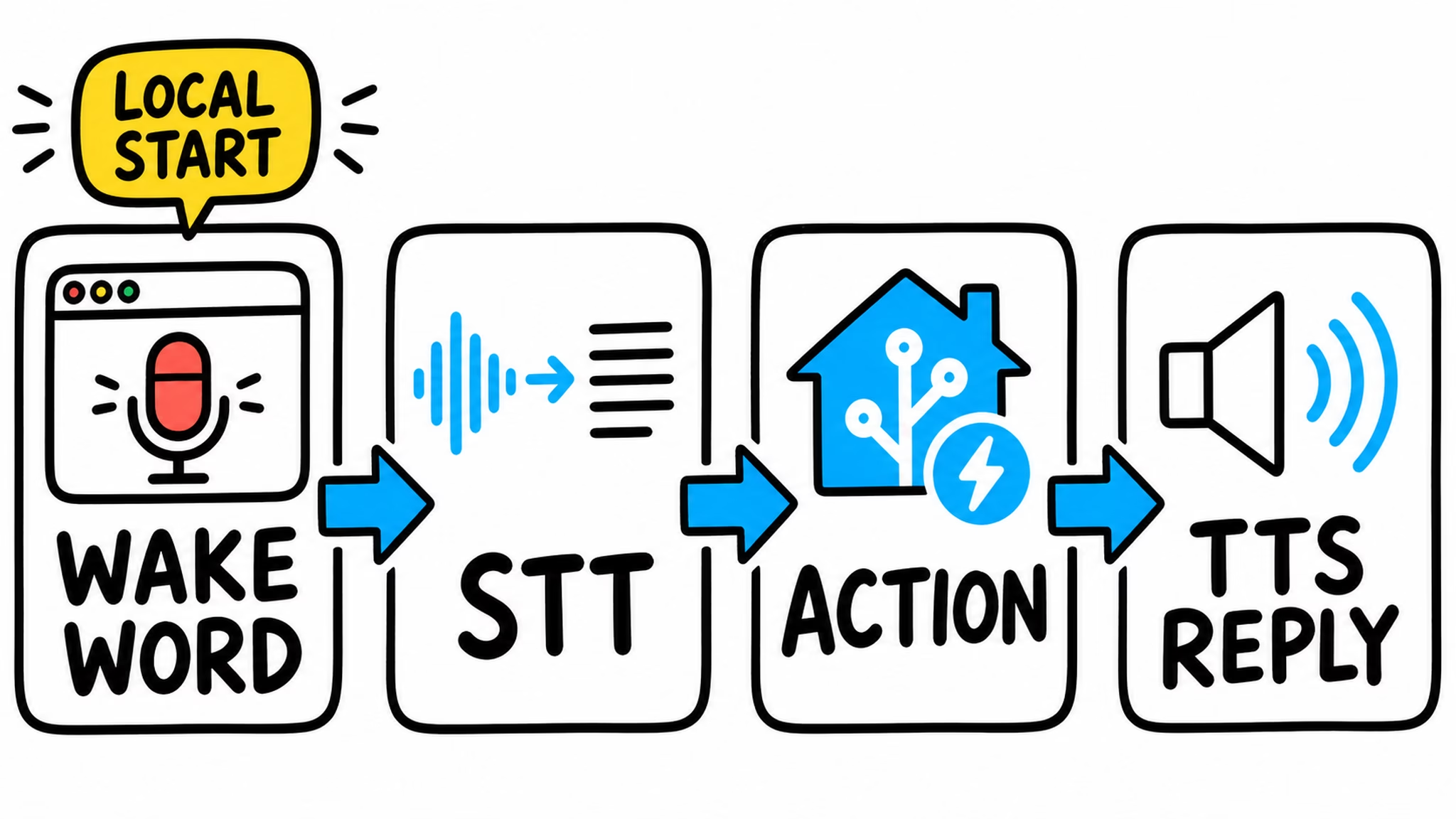
A Home Assistant voice satellite is the endpoint in the room. It hears you, gives you a reply, and shows feedback. The Assist pipeline is the part behind it that turns speech into text, figures out the intent, runs the command, and creates text-to-speech.
That distinction matters for privacy too. Voice Satellite can run wake-word detection in the browser, but after the wake word triggers, the command audio follows the Assist pipeline you selected. A local pipeline keeps the later work local. A cloud-based pipeline sends it where that pipeline sends it. The browser decides where you talk. Your Assist setup decides where the thinking happens.
The project calls this a global engine. Once you bind the browser to its satellite entity, it can stay available while you move around Home Assistant instead of needing one special dashboard card left open. That part is useful on a wall dashboard because it still feels like a dashboard, not a voice app trapped in a tiny card.
Tired of reading?
I recorded the full browser Home Assistant voice satellite path too: install it through HACS, create the virtual satellite, bind the exact browser, give it microphone permission, choose a wake word, and run a real light command. You can watch the video here: Turn Any Browser Into a Home Assistant Voice Satellite.
>> Link to the video
The video is the better format if you want to see the listening, processing, and responding states on screen. I also put Voice PE next to the browser route, because pretending they are the same thing would make for a very short video and a very confused room.
The browser demo path I would use first
This Home Assistant voice satellite is a community HACS custom integration. It is not an official Home Assistant browser product, and it is not Voice PE wearing a browser costume. That is not a warning siren. It just means I would read the project documentation, keep a backup, and check the project before a bigger Home Assistant update.
The first test can stay simple:
- Make sure Assist already understands you and speaks back.
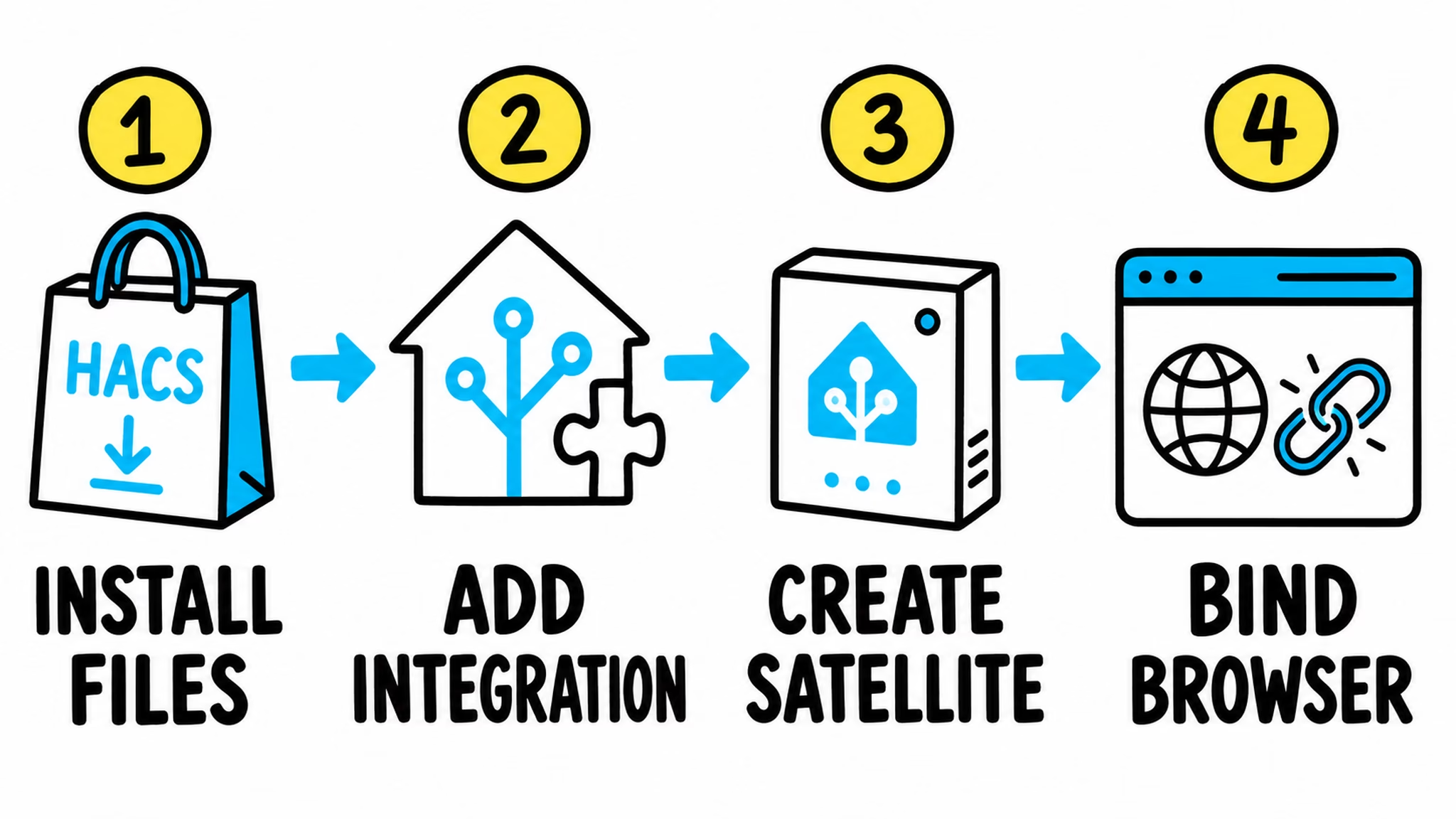
- Install Voice Satellite in HACS, then add it from Settings, Devices & Services.
- Create one clearly named virtual satellite for the target device, such as Office Browser or Kitchen Tablet.
- Open the Voice Satellite sidebar panel on that exact browser, select its entity, and allow microphone access.
- Choose your Assist pipeline, wake-word mode, and TTS output.
- Use a boring command first, such as “Hey Nabu, turn on the desk lamp.” Boring commands are excellent tests.
The repository recommends one satellite entry for each browser or tablet. That keeps the entities, audio settings, and room behavior clear instead of creating one confusing digital creature that thinks the kitchen is also your office.
For the first Home Assistant voice satellite test, I would start with On Device microWakeWord. The project documents it as the default option and says it works without WebGPU. The other browser engines, vsWakeWord and openWakeWord, need WebGPU. They are worth trying later, especially when you have a suitable tablet and want to tune the experience, but the first win should be one reliable command, not a weekend spent arguing with a graphics driver.
After the command works, try one second task that uses the screen: a timer or an announcement. That is where a browser Home Assistant voice satellite gets interesting. It can show the transcript, the reply, a countdown, or an automation result on a display that was already useful in the room.
The browser limits are part of the deal
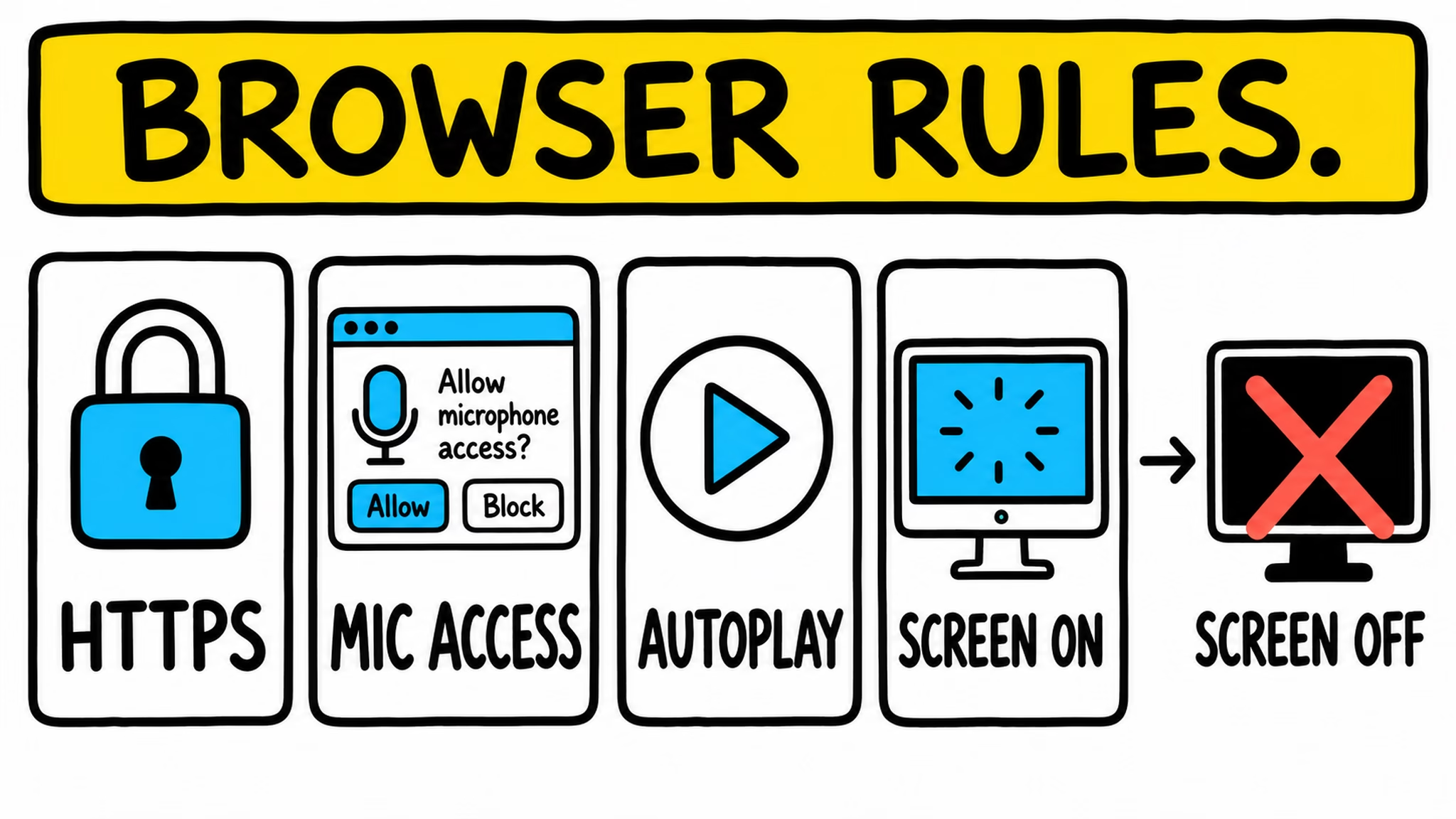
A normal browser needs microphone permission and a secure Home Assistant page, normally HTTPS or localhost. It also needs the device screen to stay on. When the screen turns fully off, the normal browser microphone stops. Browser autoplay rules can also make you press Start once before audio begins. None of this is glamorous, but it is better to know it before you build a whole wall-tablet plan around a browser that is asleep.
The reused device sets the real-world quality. A decent tablet in a quiet kitchen may work nicely. An old laptop with a tired microphone in a loud room may be a different story. This Home Assistant voice satellite reuses hardware you already own, along with every small limitation that hardware brings.
The project has a separate Android Kiosk Satellite companion route for the cases where screen-off listening matters. That route moves detection outside the normal browser path. It can be the better wall-tablet choice, but it is a different demo and a different trade-off. I would not quietly promise screen-off listening in a video about the normal browser route.
There is a Diagnostics & troubleshooting section in the sidebar panel. It checks the secure context, microphone permission, pipeline configuration, wake-word mode, and common audio or URL problems. Use that before reinstalling everything in a rage. The diagnostics panel is cheaper than rage.
Where Voice PE fits better
Home Assistant Voice Preview Edition starts from the opposite direction. It is official Home Assistant voice hardware made for a room, with dual microphones, an XMOS audio processor, a speaker, physical controls, an LED ring, and a physical mute switch that cuts power to the microphones. Setup uses a USB-C connection and a wizard.
The physical mute switch is a real difference. Voice Satellite has a software mute that releases the browser microphone. Voice PE has a hardware control designed to cut microphone power. A browser tab cannot reproduce that with a nice icon, even if the icon is very blue.
Voice PE also makes more sense when the room needs a dedicated, always-ready Home Assistant voice satellite with purpose-built audio and tactile controls. It has no large dashboard screen, but it does not depend on an old tablet staying awake, keeping the correct tab alive, and deciding it has forgotten the microphone permission today. The official Assist documentation recommends Voice PE as its voice-assistant hardware option, while Assist itself can work locally or use other configured speech services.
The answer for many homes is a hybrid
I do not see browser Home Assistant voice satellite versus Voice PE as a winner-and-loser fight. They are different endpoints for the same Assist idea.
Use a browser satellite where a useful Home Assistant screen already exists. A wall dashboard can show timers, camera views, words it heard, and visual results. A desk browser can become a low-cost Assist test endpoint without buying another device. An older tablet can get a new job, assuming its battery is not shaped like a small pillow.
Use Voice PE where you want purpose-built voice hardware, a physical privacy switch, and a simple room device that does not need a display. If a room does not need a screen, buying and powering a tablet only to imitate a voice appliance is a strange way to save money.
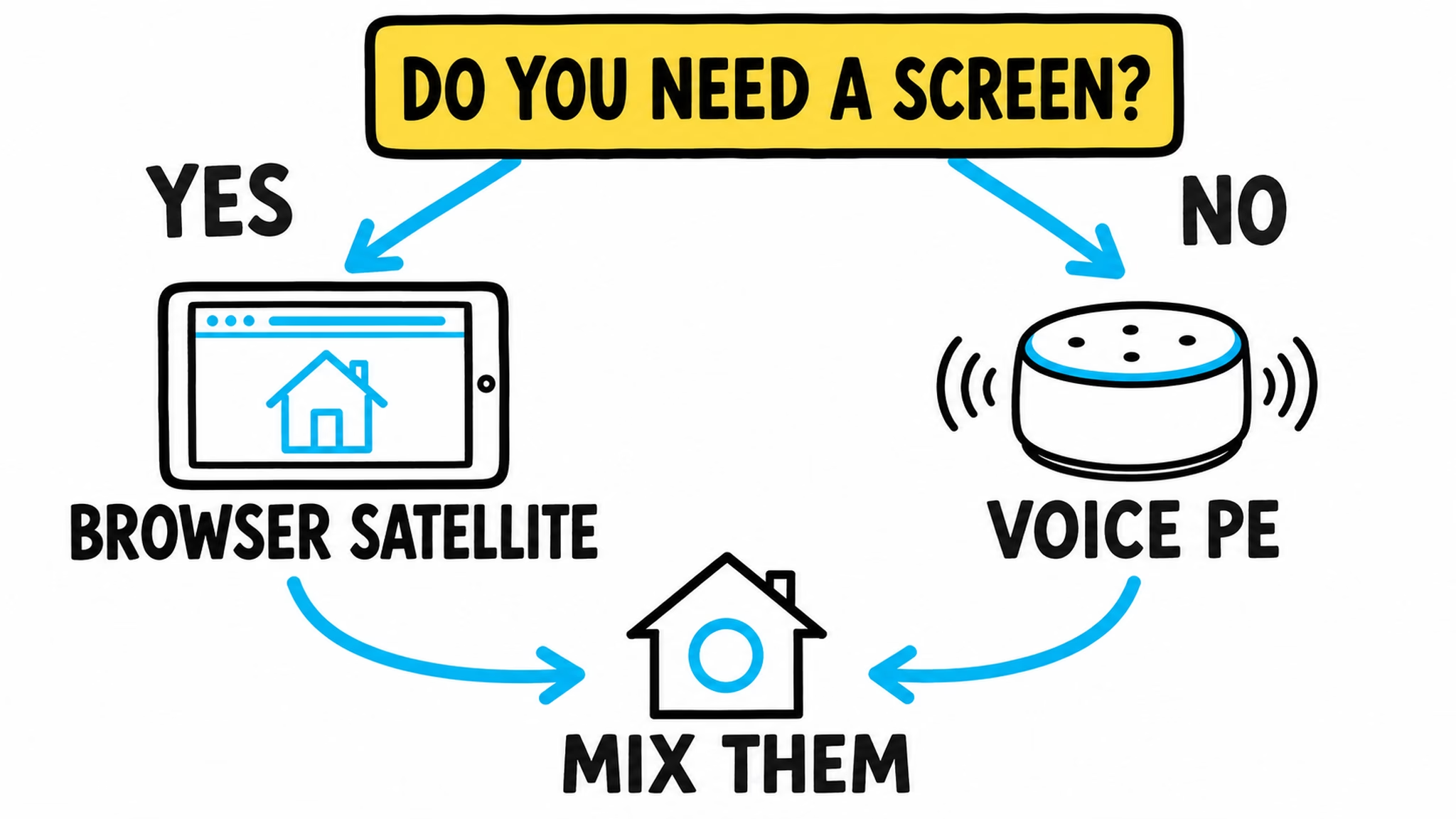
Both routes can use a local Assist pipeline or a cloud-assisted one, depending on your setup. The endpoint hears the command. The pipeline decides how the command is processed. That is the part worth checking before you call any voice setup private or local.
Need the Home Assistant vocabulary first?
Assist pipeline, speech-to-text, text-to-speech, wake word, entity, satellite. That sentence can sound like alphabet soup when you are just trying to turn on a lamp.
I have a free Home Assistant glossary PDF packed with Home Assistant words, acronyms, and their simple, useful explanations. It is a good companion before you set up a Home Assistant voice satellite, especially if the browser, Assist, and wake-word pieces still feel mixed together.
To get the PDF, type your name and e-mail. You will receive an e-mail from me to confirm you are not a robot, and the PDF will be sent to your inbox. You will also be subscribed to my newsletter where I share new content, updates, and my exclusive AI and HA challenge. It is free and you can unsubscribe anytime with one click.
Sources and useful links
- Voice Satellite README, pinned to the project snapshot used for this article.
- Voice Satellite wake-word documentation, pinned to the same snapshot.
- Home Assistant Voice Preview Edition official product page.
- Home Assistant Assist official documentation.
If you want more
For more Home Assistant experiments and tutorials, browse my Home Assistant articles. I also have an older guide about voice control from an iPhone, MacBook, and Apple Watch if the browser satellite idea makes you want to try more endpoints.
If you want more practical ideas that will not disappear under 47 browser tabs, my free-plus-shipping book Home Assistant AI Recipes is there too. It is more useful than asking the kitchen tablet nicely.
And if you want the video version, open Turn Any Browser Into a Home Assistant Voice Satellite. Just do not be surprised if the browser in the other room answers before you remember which device you named Office Browser.