
The Ollama email made me stop and think about my Home Assistant automations. The cloud models I use daily will need credits. My first question about Ollama cloud pricing was simple: how much will the jobs I already run actually cost?
I use the Ollama-HA App with AI Task and Conversation agents. I like having AI available for jobs where a short, readable answer is more useful than another raw value. But a model that was free to call is easier to forget about than one that charges for each bit of text.
So I looked at the token rates and the local alternative. I wanted numbers before deciding whether my smart home needed credits or a new computer.
Table of Contents
What Ollama cloud pricing changes for my home
The official pricing page now lists Pay as you go instead of a Free plan. For normal cloud use, I need an account and credits. The change is broader than the six model examples in the email I received.
There is a small but useful detail here. The cloud model catalog still labels Beam as free. So I am not going to claim that every cloud offer costs money or that no free option exists. A free label also does not tell me how long an offer will last.
For daily automations, that uncertainty matters. I can try a free offer, but I would not build my whole plan around it staying free. I also need to check that a different model can do the job I want, rather than assume all models are interchangeable.
Ollama cloud pricing does not turn local Ollama into a paid cloud service. If the model runs on my computer, that is a separate route. The catch is that my computer still needs enough memory and power to run it.
This is the distinction I want clear when I read Ollama cloud pricing: paying for a hosted model is different from running local software. The name Ollama appears in both, but the costs are not the same.
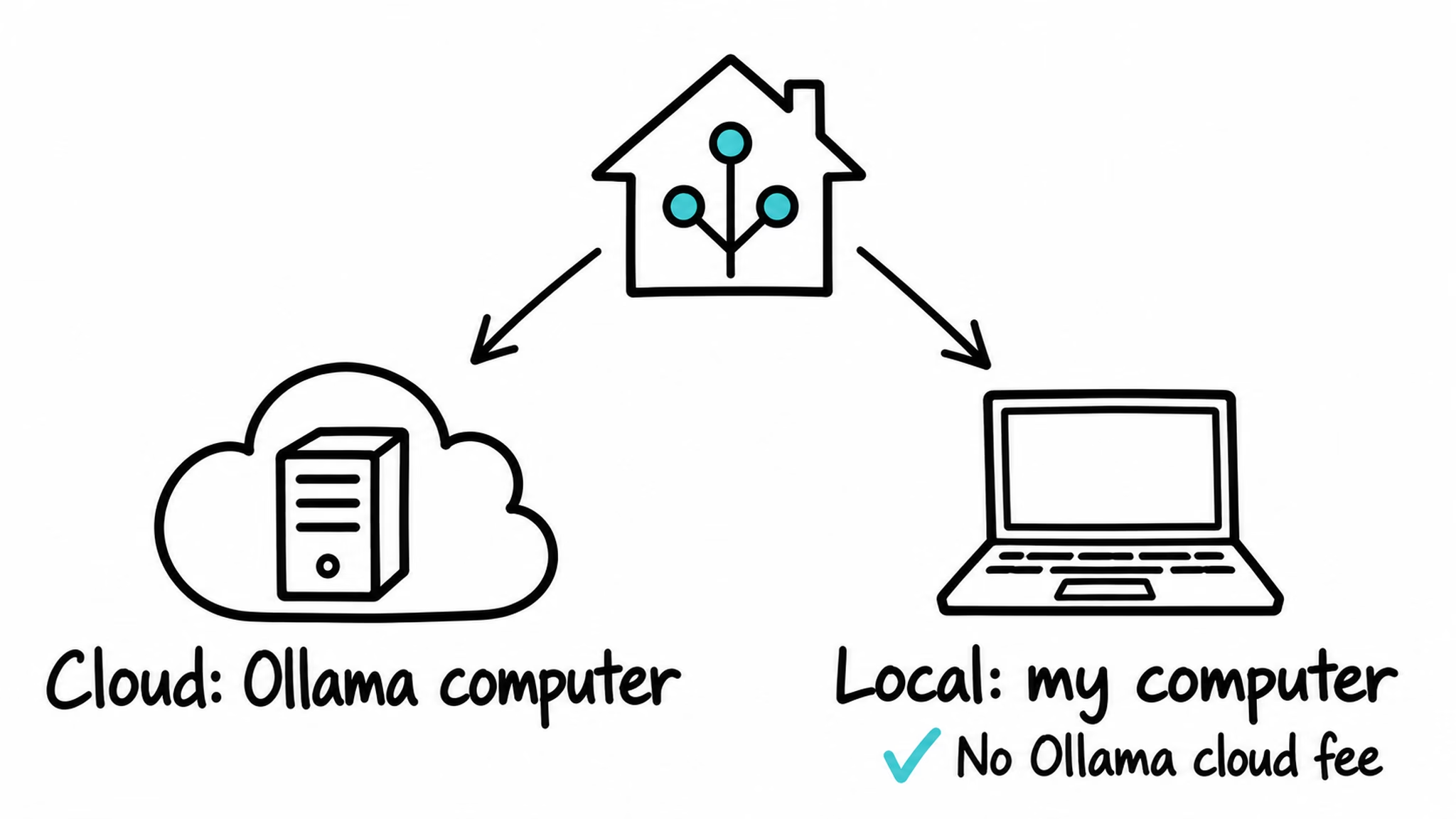
Before comparing the shopping links below, I would put a rough cost against the jobs I actually need. A weather summary and a long chat are different workloads. That matters more than picking the newest chip, and it is why I start with the token example instead of a hardware order.
Tired of reading?
The video walks through Ollama cloud pricing and the same cloud-versus-local choice. Watch the YouTube version here: https://youtu.be/i5Pzufm_e1k. Below, I will slow down the cost example so the numbers are easier to follow.
A short question can carry a big bag of text
Tokens are small pieces of text, such as a word or part of a word. Input tokens are what I send to the model. Output tokens are what comes back. That is the basic unit behind the prices, rather than a fixed price per question.
My input can include more than the sentence I typed. Home data, instructions, and old chat messages can go along for the ride. It is kind of like sending a small shopping list inside a much bigger envelope. The envelope still has to be carried.
That is why I cannot work out my costs just by counting automations. Two jobs can run equally often and send very different amounts of text. A long conversation can cost more than a short one-off summary, even if both produce a brief answer.
When checking Ollama cloud pricing, I need the exact model and the amount of text going in and out. A rate from one model page does not describe every model in the catalog.
My forecast example: 1,000 runs for about $0.27
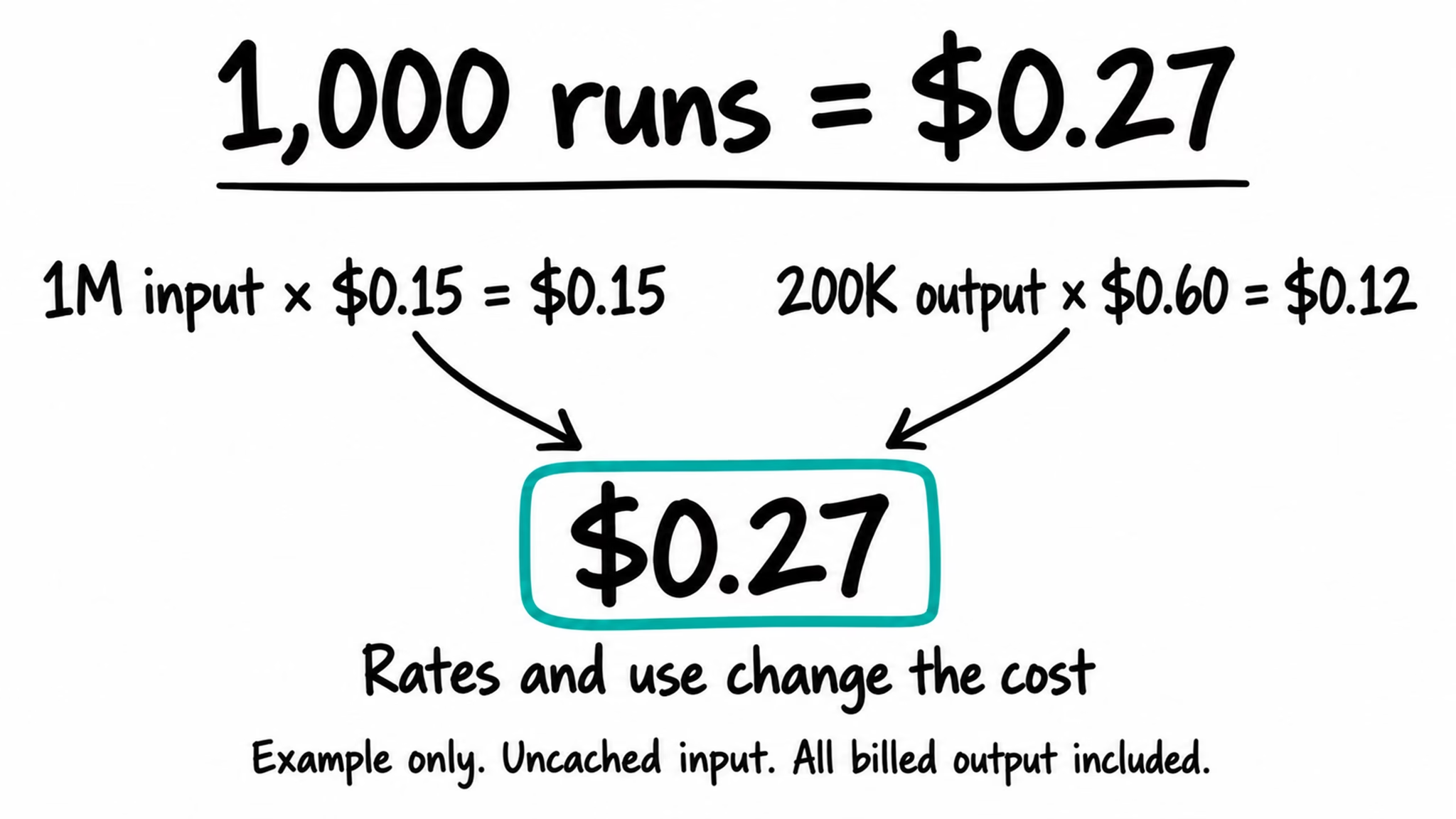
Let us use gpt-oss:120b-cloud. Its Cost panel lists these base US-dollar rates per one million tokens: $0.15 for input, $0.014 for cached input, and $0.60 for output. These are token prices, not prices for one request.
Imagine a Home Assistant job that asks for a short summary of an hourly weather forecast. For the example, I will assume each run sends 1,000 uncached input tokens and produces 200 total billed output tokens. Those are made-up counts to show the arithmetic, not a measurement from my home.
Run that job 1,000 times and the input adds up to one million tokens. At $0.15 per million, that part costs $0.15. The output adds up to 200,000 tokens, or one fifth of a million. At $0.60 per million, that part costs $0.12.
Add the two parts and the example total is $0.27 for 1,000 runs. It is a useful way to read Ollama cloud pricing, but it is not a forecast of a household bill. Different prompts, longer answers, or a different model change the result.
The cached-input line in Ollama cloud pricing is lower when input can be reused through caching. I would not calculate every request at that cheaper rate. The example above uses ordinary uncached input, so it does not depend on getting that saving. The pricing page also lists off-peak pricing. I am using the base rates here, without assuming an off-peak saving.
For my own comparison, I care about the text a job sends each time and how often it repeats. A cheap request can still add up if I call it far more often than needed. Before buying hardware, I would want a realistic idea of that usage.
Local AI has a different kind of bill
The first alternative I think about is running a local model. That removes Ollama cloud fees for those local requests. It also keeps the model work on the computer hosting it, rather than sending that work to Ollama computers.
But free local software does not make the machine free. Hardware has an upfront price, and it uses electricity. If I already own a suitable computer, the comparison looks very different from buying a new one just for a few small AI jobs.
Ollama cloud pricing therefore gives me a number to compare with the local route. A tiny cloud workload may cost less overall than a new computer. A home with heavier use, suitable hardware already available, or a strong preference for local processing may reach a different answer.
Local and cloud models also do not promise identical answers or speed. Moving from a large cloud model to a smaller local model means checking whether the result is still useful for the task. Removing the cloud fee would not help much if my weather summary stopped making sense.
What I would look for in local hardware
For local gpt-oss:20b, I would aim for 32GB of memory on a Mac. That is my practical buying target, with room for the rest of the computer. It is not a fixed minimum for every possible setup, and longer conversations need more room.
A Mac mini is one route. Newer Apple silicon can help, but an older Apple silicon machine can still be worth considering. I would pay attention to the memory configuration before getting excited about the chip name.
A PC with a strong graphics card is another route. An RTX 5090 has 32GB of video memory, which is separate from normal system RAM. A graphics card also needs a compatible whole computer. It is an expensive option, not a starter requirement for trying local AI.
I would check Ollama cloud pricing against the full local purchase, not just the most attractive price in a hardware listing. A machine I already own, or a smaller model that handles my task, may be a better starting point.
What hardware to buy for local AI
If you want to compare the local route, here are a few Mac options and the graphics card I mentioned. I would check the memory configuration first, then the price. No need to buy the biggest machine just to get started.
As an Amazon Associate I earn from qualifying purchases. Buying through these links can support my Home Assistant projects at no extra cost to you. Thank you!
Apple 2026 Mac mini M6 chip 24GB
Apple 2026 Mac Studio M5 Max chip 36GB
Apple 2026 Mac mini M5 Pro chip 24GB
Apple 2024 Mac mini M4 chip 24GB
ASUS ROG Astral GeForce RTX 5090 32GB
The 24GB Macs listed here have less headroom than my 32GB target, so choose the model and conversation length to suit the memory available. The 36GB Mac Studio is above that target. The RTX 5090 is a graphics card, not a complete PC, and needs compatible hardware. These are options to compare, not machines I have benchmarked for this article.
The choice depends on the jobs, not just the model
For me, the useful questions are what hardware I already have and how often each job runs. I do not need one answer for every automation. A short, occasional task and a busy conversation agent can have different needs.
I would compare Ollama cloud pricing with the cost of running the local machine, then check the quality of the answers I need. There is no honest universal break-even point without those details. I have not measured a home bill or benchmarked a migration for this example.
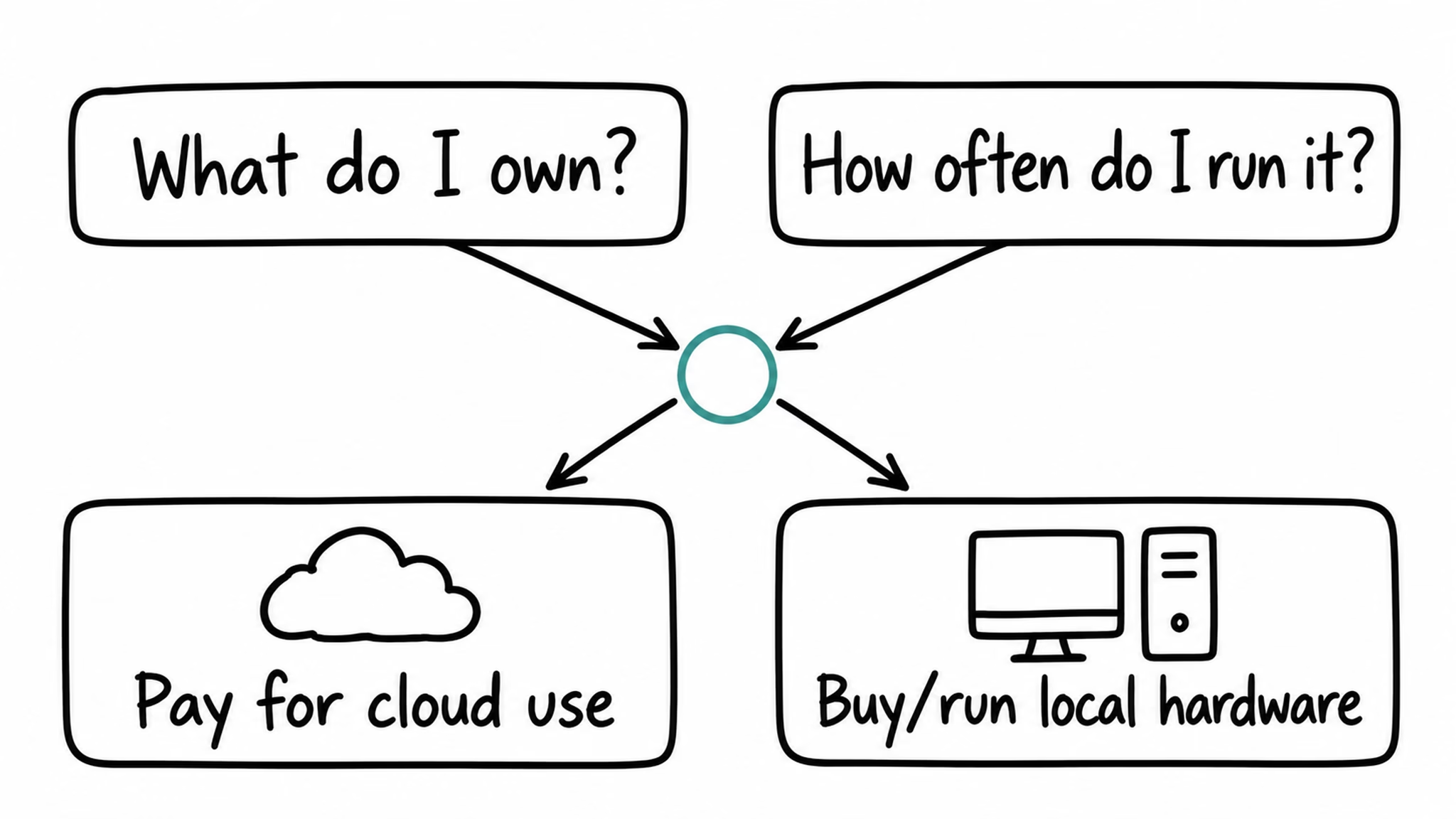
The email is a reason to look at the jobs I rely on, not a reason to panic-buy a GPU. If the math says a small cloud workload is cheaper, paying for that use can be sensible. If a suitable local machine is already there, that option deserves a look too.
What would you choose for your home: credits for cloud use, local hardware, or a mix? Tell me in the comments, especially if you have real usage numbers. My smart home has not asked for pocket money yet, but apparently I should be ready.
Need the Home Assistant words in plain language?
If AI Task, integrations, or conversation agents feel like a pile of new words, my free Home Assistant glossary PDF can help. It is a PDF packed with Home Assistant words, acronyms, and their simple, useful explanations. It is a glossary, not a setup guide for this pricing change.
To get the PDF, type your name and e-mail. You will receive an e-mail from me to confirm you are not a robot, and the PDF will be sent to your inbox. You’ll also be subscribed to my newsletter where I share new content, updates, and my exclusive AI and HA challenge. It’s free and you can unsubscribe anytime with one click.
More local and cloud ideas for my home
My Home Assistant AI Recipes book has local and cloud projects. The book is free from me; you cover printing, handling, and shipping. It works offline too, so at least this part of the smart home will not ask for credits.
If you want more
For more ideas, browse my AI articles and Home Assistant guides. For the app I use, the Ollama-HA App project has its own documentation. Check the live model prices again before making a spending decision.